IT Pro Tutorials
Unpatched endpoints are the low-hanging fruit that attackers love. Every month, Microsoft alone drops dozens of patches, and that is just Windows. Add in third-party apps like Chrome, Zoom, Adobe Reader, and Java, and you are staring at a patching backlog that grows faster than you can click “Update Now” on individual machines.
The cost of not patching is brutal. Ransomware gangs routinely exploit vulnerabilities that had patches available weeks or months before the breach. According to Ponemon Institute research, 57% of data breach victims reported that a patch was available but not applied. If you are managing more than a handful of endpoints, manual patching is not a strategy — it is a liability.
The good news? You do not need to spend thousands on a commercial patching platform. Several free patch management tools give you automated, centralized patching without per-device licensing fees. Some are cloud-based, some are on-prem, and some are fully open-source. In this roundup, we will break down seven of the best free patching software options available in 2026, compare them side by side, and help you pick the right one for your environment.
What to Look for in a Free Patch Management Tool
Before diving into specific tools, here is what separates a useful patching solution from one that creates more work than it saves.
OS and application coverage. Some tools only handle Windows OS updates. Others patch third-party applications too. If your fleet includes macOS or Linux, cross-platform support matters. A tool that only covers Windows updates leaves you manually managing everything else.
Automation capabilities. The whole point of centralized patching is removing the human bottleneck. Look for scheduling, auto-approval policies, and the ability to define maintenance windows. If you still have to manually approve and push every patch, you have not gained much over SCCM-lite workflows.
Reporting and compliance. Auditors want proof that patches are applied. Your tool should show you patch compliance rates, missing patches by severity, and deployment history. Bonus points for exportable reports.
Scalability of the free tier. “Free” means different things. Some tools are free up to a device count (25, 100, or 200 endpoints). Others are free but limited in features. Understand the ceiling before you invest time deploying something you will outgrow in six months.
Ease of deployment. An on-prem solution that requires a dedicated Windows Server, SQL database, and three days of config is a different commitment than a cloud-based agent you install in five minutes. Match the deployment complexity to your team size.
Third-party patch catalog. Windows Update handles Microsoft products. But what about Firefox, 7-Zip, VLC, or Slack? A solid free patching tool should include a catalog of common third-party applications, or at least give you a scripting framework to handle them.
Best Free Patch Management Tools in 2026
1. Action1 — Best Cloud-Based Free Option for Windows
Free tier: 200 endpoints | Platform: Windows | Deployment: Cloud-based (SaaS)
Action1 is the tool that keeps surprising me. For a cloud-based platform with no infrastructure to manage, the free tier is remarkably generous — 200 endpoints with full functionality. No feature gating, no crippled reporting. You get the same patching engine as paying customers.
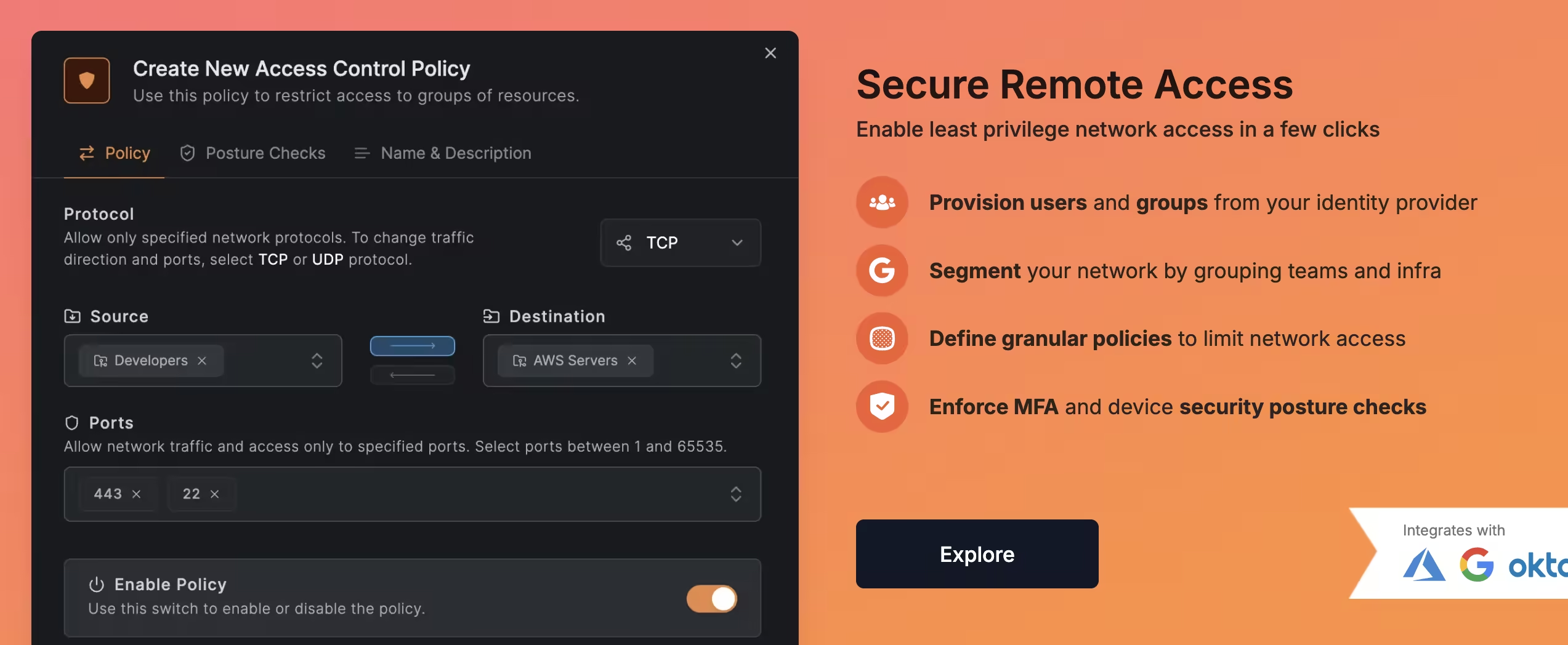
The setup is dead simple. Sign up, download the agent, deploy it via GPO or your existing RMM, and you are patching within the hour. Action1 handles both Windows OS patches and a solid catalog of third-party applications. You can create patching policies, set approval rules, define maintenance windows, and schedule deployments — all from a clean web console.
Where Action1 shines is automation. You can build policies that auto-approve critical and security patches while holding feature updates for manual review. The reporting dashboard gives you real-time compliance visibility, and the built-in vulnerability assessment scans endpoints for missing patches before you even create a deployment.
The catch? It is Windows-only. If you need to patch macOS or Linux, you will need a second tool. And while 200 endpoints is generous, growing past that threshold means moving to a paid plan.
For a deeper look, check out our full Action1 review.
Best for: Small to mid-sized Windows shops that want cloud-based patching without infrastructure overhead.
2. WSUS — The Built-In Windows Patch Management Free Option
Free tier: Unlimited Windows endpoints | Platform: Windows | Deployment: On-premises (Windows Server role)
Windows Server Update Services (WSUS) has been the default Windows patch management free solution for over two decades, and it is still here. If you already run Windows Server, WSUS is a server role you can add at no extra cost. It gives you centralized control over Microsoft patches for every Windows machine in your domain.
WSUS pulls updates from Microsoft Update, lets you approve or decline them, organize machines into groups, and push patches on your schedule. It integrates natively with Group Policy, which means targeting is straightforward if you already have a solid OU structure.
That said, WSUS is showing its age. The console feels like it was built in 2005 (because it was). It handles Microsoft products only — no third-party patching without bolting on additional tools. The database can bloat if you do not maintain it, and the server itself needs regular cleanup with wsusutil.exe to avoid performance degradation. WSUS also lacks any kind of modern reporting dashboard. You will either write custom SQL queries against the WSUS database or use PowerShell scripts to generate compliance reports.
The catch? You need a Windows Server license (which you may already have). There is no third-party patching, no cloud management, and no cross-platform support. Maintenance overhead is real.
Best for: Organizations already invested in Windows Server and Active Directory that need a no-additional-cost solution for Microsoft patches.
3. PDQ Deploy — Streamlined Windows Deployment
Free tier: Basic deployment features | Platform: Windows | Deployment: On-premises
PDQ Deploy takes a slightly different approach. Rather than being a traditional patch management platform, it is a software deployment tool that happens to be excellent at pushing patches and application updates. The free version gives you the core deployment engine — you can push MSI, EXE, and MSP packages to remote machines silently.
PDQ maintains a package library with pre-built deployment packages for common applications. Need to push the latest Chrome, Firefox, or Adobe Reader? Grab the pre-built package, target your machines, and deploy. It handles installation silently in the background, with logging and status reporting.
The free tier has limitations. You lose scheduling, auto-deployments, and the ability to chain multiple steps in a single deployment. That means patching with free PDQ Deploy is a manual trigger — you decide when to push, and you click the button. Pair it with PDQ Inventory (also has a free tier) and you get a basic view of what is installed across your fleet.
The catch? No automation in the free tier. No Linux or macOS support. It requires an always-on Windows machine to act as the deployment console. The real power of PDQ unlocks in the paid tiers with scheduling and triggers.
Best for: Windows admins who need a quick, reliable way to push software and patches manually across a LAN.
4. Automox — Cross-Platform Cloud Patching
Free tier: Limited free trial / community tier | Platform: Windows, macOS, Linux | Deployment: Cloud-based (SaaS)
Automox is the cross-platform answer to the patching problem. It covers Windows, macOS, and Linux from a single cloud console — a rarity in the free patching software space. The agent-based architecture means no VPN tunnels or firewall rules needed for remote endpoints.
Automox handles OS patches, third-party application updates, and even custom scripting (Worklets) that let you automate virtually anything on an endpoint. The policy engine is flexible: you can define patching schedules per OS, per group, or per severity level. Compliance reporting is built in and auditor-friendly.
The free tier is more limited than some competitors on this list. Automox periodically offers community or trial access, but the long-term free offering is constrained in endpoint count. Check their current pricing page for the latest — free tiers in SaaS products shift frequently.
The catch? The free tier is not as clearly defined or generous as Action1’s 200-endpoint offer. If you need a guaranteed free-forever solution, pin down the current terms before deploying across your fleet.
Best for: IT teams managing a mixed OS environment (Windows + macOS + Linux) who want a single pane of glass for patching.
5. ManageEngine Patch Manager Plus — Feature-Rich With a Tight Limit
Free tier: 25 endpoints | Platform: Windows, macOS, Linux | Deployment: On-premises or cloud
ManageEngine Patch Manager Plus packs enterprise features into a free edition that covers up to 25 endpoints. That is not a lot, but if you are a small shop or want to evaluate the platform, it is enough to get a real feel for the product.
The feature set is impressive for a free tool. You get automated patch deployment, a third-party patch catalog covering 900+ applications, patch testing and approval workflows, and detailed compliance reports. It supports Windows, macOS, and Linux, making it one of the few cross-platform options that also handles third-party apps comprehensively.
The on-premises version runs on Windows and requires a database (bundled PostgreSQL or your own SQL Server). The cloud version eliminates infrastructure management. Either way, the console is polished and the automation capabilities are deep — you can define policies by severity, schedule maintenance windows, and set up automatic deployment for critical patches.
The catch? Twenty-five endpoints is a hard ceiling for the free edition. For most IT environments, that is a proof-of-concept, not a production deployment. Scaling beyond 25 devices requires a paid license, and ManageEngine licensing is not cheap at scale.
Best for: Small teams (under 25 devices) who want a fully featured, cross-platform patching solution, or anyone evaluating ManageEngine before purchasing.
6. TacticalRMM — Open-Source Patching via RMM
Free tier: Unlimited (self-hosted, open-source) | Platform: Windows (primary), Linux (agent available) | Deployment: Self-hosted
TacticalRMM is not a dedicated patch management tool — it is a full Remote Monitoring and Management platform that includes patching capabilities. Being open-source and self-hosted, there are no endpoint limits and no licensing fees. You deploy it on your own server and manage as many agents as your hardware can handle.
For Windows patching, TacticalRMM leverages the built-in Windows Update agent. You can trigger patch scans, approve updates, and push installations from the web console. It also supports custom scripting (PowerShell, Python, batch) which lets you build your own patching workflows for third-party applications.
The patching capabilities are functional but not as polished as dedicated tools like Action1 or ManageEngine. There is no built-in third-party patch catalog — you handle third-party apps through scripts. Reporting is basic compared to commercial alternatives. But the trade-off is full control, no vendor lock-in, and zero recurring costs.
For a complete walkthrough, read our TacticalRMM review.
The catch? Self-hosting means you own the infrastructure, backups, and updates. The patching module is a component of a larger RMM, not a standalone patching product. Expect to invest time in scripting for third-party patch management.
Best for: IT pros and MSPs who want a self-hosted, open-source RMM with integrated patching and no endpoint limits.
7. OPSI — Open-Source Client Management for Linux Environments
Free tier: Unlimited (open-source) | Platform: Linux (primary), Windows (supported) | Deployment: Self-hosted (Linux server)
OPSI (Open PC Server Integration) is the tool you reach for when your fleet is primarily Linux. It is a fully open-source client management system that handles software deployment, patch management, OS installation, and inventory — with a strong focus on Linux and Windows desktop management.
OPSI runs on a Linux server and uses a client-server architecture with agents deployed to managed machines. The package management system lets you create and deploy software packages, including patches, across your fleet. For Linux endpoints, it integrates with native package managers (APT, YUM/DNF) to manage updates centrally.
The learning curve is steeper than cloud-based alternatives. OPSI uses its own packaging format, and creating custom packages requires understanding the OPSI scripting language. The documentation is thorough but heavily German-oriented (the project originated in Germany), though English documentation has improved significantly.
The catch? The ecosystem is smaller than mainstream tools, and community support is more niche. If your environment is primarily Windows, OPSI is not the best fit. It excels in Linux-heavy or mixed Linux/Windows environments, particularly in European organizations where it has stronger adoption.
Best for: Organizations with Linux-heavy endpoints that need centralized, open-source client and patch management.
Free Patch Management Tools: Full Comparison Table
| Tool | Free Limit | OS Support | Third-Party Patches | Deployment | Automation | Best For |
|---|---|---|---|---|---|---|
| Action1 | 200 endpoints | Windows | Yes (broad catalog) | Cloud (SaaS) | Full (policies, scheduling) | Windows-focused SMBs |
| WSUS | Unlimited | Windows | No (Microsoft only) | On-prem (Windows Server) | Basic (GPO scheduling) | Active Directory shops |
| PDQ Deploy | Basic features | Windows | Yes (package library) | On-prem (Windows) | No (manual in free tier) | LAN-based deployments |
| Automox | Limited/trial | Windows, macOS, Linux | Yes | Cloud (SaaS) | Full (policies, Worklets) | Mixed OS environments |
| ManageEngine | 25 endpoints | Windows, macOS, Linux | Yes (900+ apps) | On-prem or cloud | Full | Small teams (<25 devices) |
| TacticalRMM | Unlimited | Windows, Linux | Via scripting | Self-hosted | Custom (script-based) | Self-hosters and MSPs |
| OPSI | Unlimited | Linux, Windows | Via packaging | Self-hosted (Linux) | Custom (OPSI scripts) | Linux-heavy environments |
Standalone Patching vs. RMM-Integrated Patching
This is a question that comes up constantly: should you use a dedicated patch management tool, or pick an RMM that includes patching?
Standalone patching tools (Action1, WSUS, PDQ Deploy, ManageEngine) focus on doing one thing well. The patch management workflow is purpose-built — patch scanning, approval, deployment, reporting. The UI is designed around patching workflows, and the third-party catalogs are maintained specifically for this use case.
RMM-integrated patching (TacticalRMM, and commercial options like NinjaRMM or Datto) bundles patching into a broader endpoint management platform. You get patching alongside remote access, scripting, monitoring, and alerting. The trade-off is that the patching module may not be as deep or polished as a dedicated tool.
Here is how to decide:
- Choose standalone patching if patching is your primary pain point, you already have remote access and monitoring covered, or you need detailed patch compliance reporting for audits.
- Choose RMM-integrated patching if you are building your IT management stack from scratch, you need remote access and monitoring alongside patching, or you want a single agent on endpoints instead of stacking multiple tools.
For many small IT teams, an RMM with decent patching (like TacticalRMM) eliminates the need for a separate tool. For organizations with strict compliance requirements, a dedicated patching platform with robust reporting is often the better call.
If you are evaluating RMM options more broadly, our guide to the best free RMM tools covers the full landscape.
Pros and Cons of Free Patch Management
Free patching tools are not a compromise — but they are not a blank check either. Here is an honest breakdown.
Pros:
- Zero licensing cost. No per-device fees means you can patch your entire fleet without budget approval. For small teams, this is the difference between patching properly and not patching at all.
- Real functionality. Tools like Action1 and ManageEngine offer genuinely capable free tiers, not stripped-down demos. You get automation, reporting, and third-party patching.
- Lower barrier to entry. Cloud-based options like Action1 and Automox deploy in minutes. No servers to provision, no databases to maintain.
- Open-source options exist. TacticalRMM and OPSI give you unlimited, self-hosted patching with no vendor lock-in. You own the data, the infrastructure, and the roadmap.
Cons:
- Endpoint caps. The most polished free tools (Action1 at 200, ManageEngine at 25) have hard limits. Growing past them means paying or switching tools.
- Feature restrictions. Free tiers often gate advanced features — reporting depth, automation complexity, or integration options. PDQ Deploy’s free tier, for example, lacks scheduling entirely.
- Limited support. Free users typically get community forums, not dedicated support. When something breaks at 2 AM, you are on your own (or relying on community goodwill).
- Self-hosted overhead. Open-source tools like TacticalRMM and OPSI require you to manage the server infrastructure, handle updates, and maintain backups. That is not free in terms of time.
- No single perfect tool. You may end up combining tools — WSUS for Microsoft patches plus a deployment tool for third-party apps, for example. Multiple tools mean multiple consoles and workflows.
Verdict: Which Free Patch Management Tool Should You Pick?
There is no single best answer — it depends on your environment, team size, and what you already have in place.
If you want the easiest path to automated Windows patching, start with Action1. The 200-endpoint free tier is the most generous cloud-based offering, the setup takes minutes, and the automation is genuinely good. It is the tool I recommend to anyone who asks “what should I use to patch my Windows machines for free?”
If you are already running Windows Server and AD, WSUS costs nothing extra and handles Microsoft patches reliably. It is not glamorous, but it works. Pair it with PDQ Deploy for third-party applications and you have a workable (if manual) patching workflow.
If you manage a mixed OS fleet, Automox is worth evaluating for its cross-platform coverage. Alternatively, ManageEngine Patch Manager Plus offers strong cross-platform patching if you are under 25 endpoints.
If you want full control with no limits, TacticalRMM gives you open-source, self-hosted patching as part of a complete RMM platform. You will invest more time in setup and scripting, but you get unlimited endpoints and zero vendor dependency.
If your environment is Linux-heavy, OPSI is purpose-built for that world.
The bottom line: unpatched endpoints are indefensible in 2026. The free patch management tools available today are capable enough that budget is no longer an excuse. Pick one, deploy it this week, and close the gap before someone else exploits it.